
Print models
A “pre-supported” model is one we've already worked on in a slicer specialized in resin 3D printing: we've already added the supports, so all we have to do is import it into your slicer and print it. We also systematically add the standard (unsupported) version, so that you can make your own supports if you prefer.
In miniature games, scales are often named like this:
- 28mm = 1/56
- 15mm = 1/100
- 20mm = 1/72
- 6mm = 1/280
(there may be other correspondences, e.g. for some 6mm = 1/300, but these are the ones we use).
These sizes in millimeters correspond to the dimensions between the feet and the eye line of a human figure in the corresponding scale. Example: in 28mm (1/56), the distance between the feet and the eye line will be 28mm.
Yes, most of our sets are designed with this in mind, by being divided into several parts: this allows easy access to the interiors of the ground floor and each floor. You can consult the photos, which systematically detail how the file is designed.
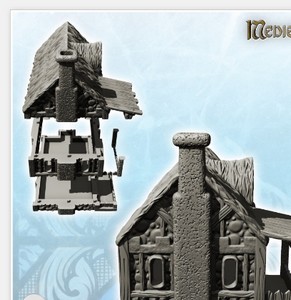
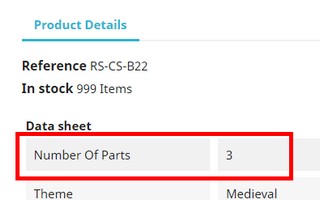
We also detail the number of pieces that the decor contains, you can consult this information by clicking on "Product details" of the product sheet:
We compress our largest 3D model packages into .RAR archives to make your downloads significantly faster and more reliable.
To access your STL/3MF files, you just need to extract (unzip) the archive first.
1. Windows 11 Users (Direct & Native)
Windows 11 supports RAR files natively. No software installation is required:
- Right-click on the downloaded .RAR file.
- Select "Extract All..." (look for the zipper icon).
- Choose your destination folder and click Extract.
2. macOS Users & Older Windows Versions
Recommended: Use a free online tool (Fastest & No software to install)
You can instantly convert or extract your RAR file directly inside your browser:
- Convert RAR to ZIP: ezyZip (Free Online Converter) - Recommended: runs safely in your browser with no file size limits.
- Extract online: extract.me
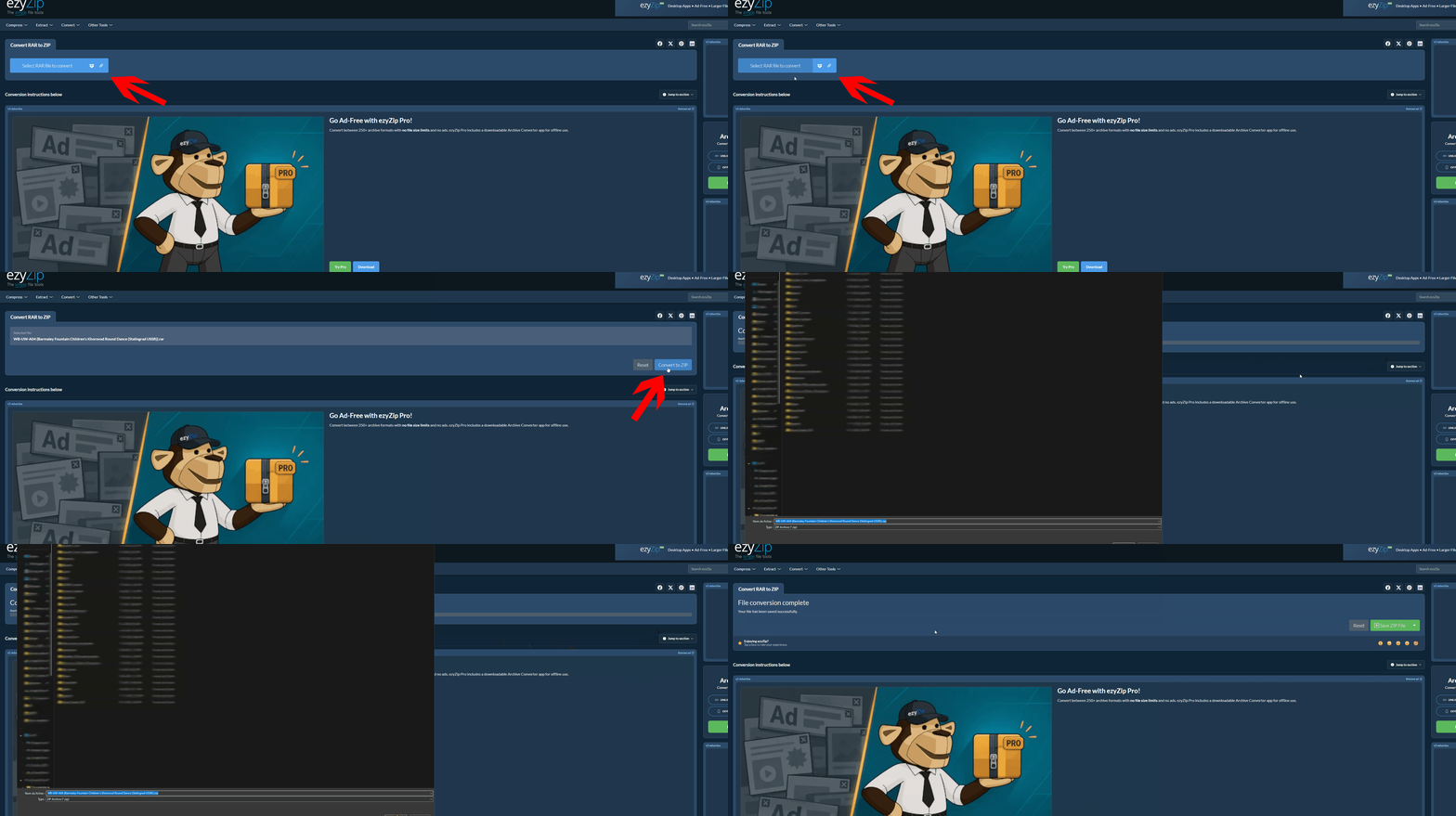
Alternative: Install a free software
If you process archive files regularly, you can install a lightweight free tool:
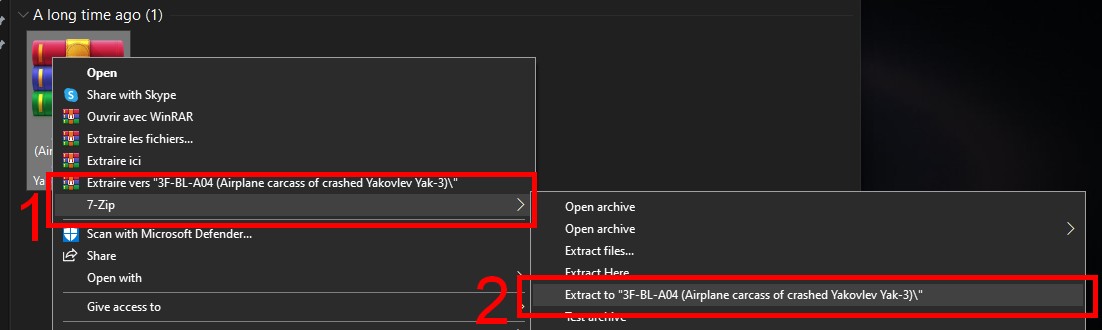
- Windows (7/8/10): Download 7-Zip (Free). Once installed, right-click the file > 7-Zip > "Extract to..."
- macOS: Install The Unarchiver or Keka (Free on Mac App Store) to extract RAR files with a double-click.
Why do we use RAR compression?
The RAR format offers superior compression rates compared to standard ZIP files. For example, a heavy 552 MB folder containing complex high-detail scenery is reduced to just 159 MB in a RAR archive (-72% bandwidth savings!).
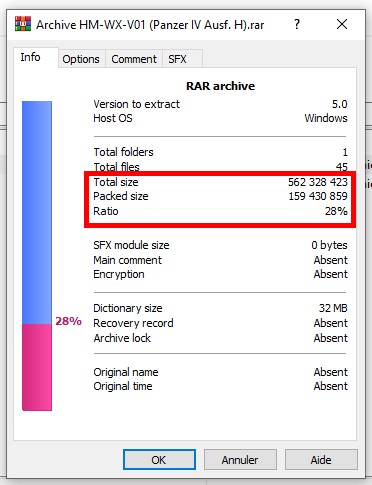
This drastic size reduction ensures much faster downloads for you and prevents broken downloads on large bundles.
The scale in which the file is located when you download it is indicated in its product page, at the "Product details" level ("Original file scale") :
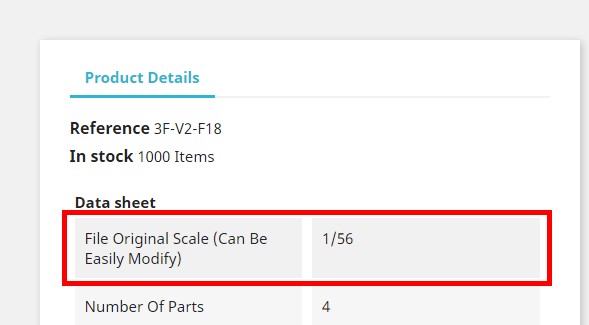
If the information is not present, do not hesitate to contact us, we will communicate it to you as well as the resizing ratio of the model to the scale you use.
Note that some slicers may automatically resize objects when you import them: identify it when it happens to be sure to apply the right resizing.